
 EN
EN
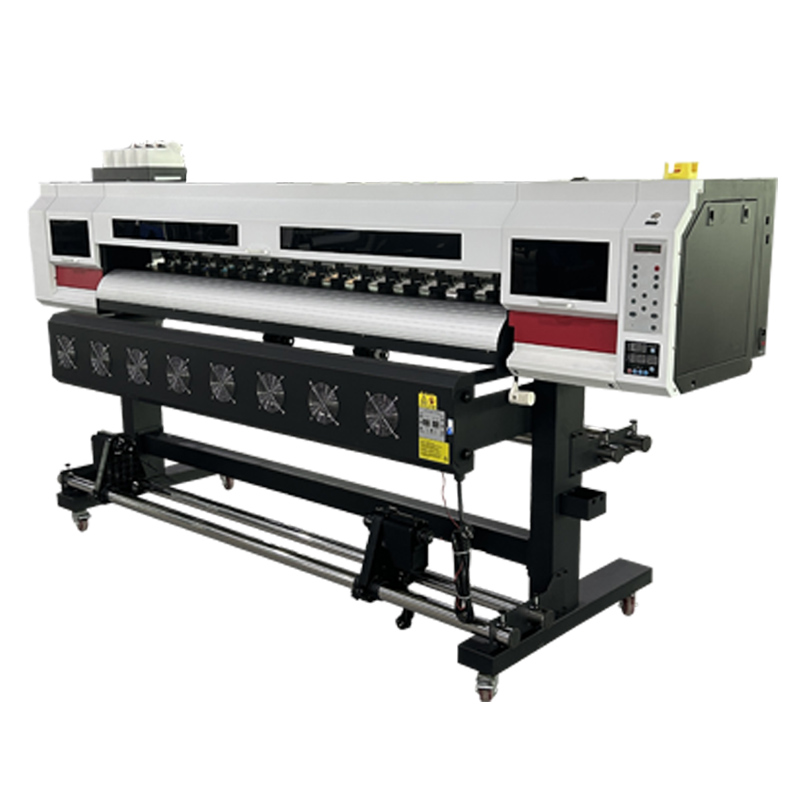
Understanding True Print Resolution Requirements for Poster Printers
Why DPI Alone Misleads: Viewing Distance, Scale, and Human Visual Acuity
Printer companies love talking about DPI specs when selling posters, but honestly these numbers don't give the whole picture. Our eyes just can't see beyond about 1 arc minute anyway, so we basically stop noticing those tiny dots once we're far enough away. Think about it this way: that big banner at a trade show? People are probably standing 10 feet back looking at it, so around 72 DPI is actually good enough for it to look crisp. But walk into an art gallery and try to examine a print up close within 2 feet? Then you definitely want something over 150 DPI to get that same level of detail. The math gets interesting too because when things get bigger, the resolution drops off proportionally. Take a high res 600 DPI image and shrink it down for a poster? Suddenly it's acting more like 150 DPI stuff. Smart printers know this trick and calculate based on where people will actually stand to view their work instead of getting obsessed with hitting some random DPI number that doesn't really matter in practice.
Optimal Resolution Guidelines by Poster Size and Application
Poster resolution demands vary significantly by environment and dimensions. Use these evidence-based guidelines:
| Application | Size Range | Optimal DPI | Viewing Distance |
|---|---|---|---|
| Indoor retail displays | 24"x36" to 36"x48" | 100-150 | 3-6 feet |
| Outdoor event banners | 4'x6' to 8'x12' | 72-100 | 15+ feet |
| Exhibition graphics | 42"x60" to 60"x90" | 120-150 | 5-10 feet |
Indoor spaces such as museums and retail shops generally need around 100 to 150 DPI for clear reading and good image quality when viewed from normal distances. When it comes to outdoor posters that face rain, sun exposure, and longer viewing distances, much lower resolution works fine too. Most outdoor prints look great at 72 to 100 DPI. Following these guidelines saves computing power without sacrificing what people actually see. Printers last longer this way since they aren't forced to work harder than necessary for most jobs.
Poster Printer Speed: Measuring Real-World Throughput, Not Just Specs
Beyond ft/min: How Drying Time, Media Handling, and RIP Processing Affect Effective Output
The print speed numbers we see advertised like "20 feet per minute" don't really tell the whole story about what happens on the production floor. When working with solvent based inks, drying times alone can cut into productivity anywhere from 15 to maybe even 30 percent because posters just won't stick properly until they're fully cured otherwise there's going to be all sorts of smudges everywhere. Then there's the whole media handling issue too. Heavyweight materials or those big roll fed systems tend to slow things down quite a bit, sometimes by as much as 40 percent depending on how everything is set up. And let's not forget about RIP processing either. Complex vector artwork really puts pressure on printers that aren't equipped with enough memory, which means extra wait time of around 5 to 15 minutes per poster. Some recent research from an industrial printing company found that printers running optimized RIP software managed to hit about 92% of their claimed speeds, whereas other machines only got down to around 65%, showing just how much difference proper configuration makes.
Thermal vs. Piezo Inkjet Engines: Reliability Tradeoffs at High-Speed Poster Production
Thermal inkjet heads can shoot out droplets pretty fast actually around 30 thousand per second but pushing them too hard leads to problems like clogged nozzles and early breakdowns. According to what we see in practice, these thermal heads usually need replacing somewhere between six to twelve months when used heavily, which translates into roughly fifteen plus hours lost each year just waiting for replacements. Piezo technology isn't as quick off the mark but lasts much longer because those mechanical parts inside can handle two to three times more printing cycles before showing signs of wear. When looking at critical printing tasks where reliability matters most, piezo systems typically keep nozzle failures below 1 percent even at speeds around fifteen feet per minute compared to thermal's higher range of 3 to 8 percent failures. While they may not match thermal speeds, this kind of dependable performance makes all the difference over extended print runs.
Balancing Resolution and Speed for Maximum Poster Printer Reliability
The Sweet Spot: How 100-120 dpi at 15-20 ft/min Optimizes Quality, Speed, and Uptime
Getting good results from poster printing requires finding the right mix between what works on paper and what actually functions in practice. Most printers run around 100 to 120 dpi with speeds between 15 and 20 feet per minute. These numbers work well because they keep details sharp enough for normal viewing distances without causing problems with ink supply when running fast. According to some production tests, sticking to these ranges cuts down nozzle clogging issues by about 40% compared to pushing the equipment too hard, which means fewer unexpected breakdowns. The slower pace also helps materials dry properly across different surfaces such as vinyl banners or fabric backdrops, something that tends to get messed up when people try to rush through jobs. For businesses making signs for conventions or storefront displays, maintaining print quality matters a lot since nobody wants blurry graphics ruining their message.
Workflow Impact: Reducing Poster Turnaround from Days to Hours Without Compromising Consistency
Getting this balance right really boosts how efficient production becomes. Traditional printing approaches often took around 48 hours for big format work, but modern poster printers can produce gallery quality prints in less than four hours now. What makes this possible? Less rework thanks to consistent ink application at speeds between 15 to 20 feet per minute. This consistency means colors stay accurate throughout entire print runs, and tests show color differences are typically below Delta E 2 units. Print shops no longer face delays because integrated RIP processors take care of file prep while the actual printing happens. One shop that works mainly with event marketing clients saw their rush order penalty costs drop by almost two thirds when they switched to this system. Beyond just faster turnaround times, there's another benefit too. These machines handle media so consistently that paper jams happen far less frequently during consecutive print jobs. Competitors still struggle with about 15 minutes of downtime every hour from such issues, which adds up over time.
FAQ
What is the importance of DPI in poster printing?
DPI, or dots per inch, is crucial in determining the resolution and clarity of a printed image. It matters most when the viewing distance is short, such as in galleries, but becomes less critical for large display banners.
Why do printer speeds differ from what's advertised?
Factors like ink drying time, media handling issues, and RIP processing can all affect real-world printer speeds, making them differ from advertised specifications.
What are the benefits of Piezo technology over Thermal inkjets?
Piezo technology provides longer-lasting operation and fewer nozzle failures due to its mechanical components, making it more reliable for extended print runs compared to thermal inkjets.
How can print turnaround times be reduced?
By optimizing the balance between print resolution and speed, print shops can reduce turnaround times from days to hours without sacrificing print consistency.