
 EN
EN
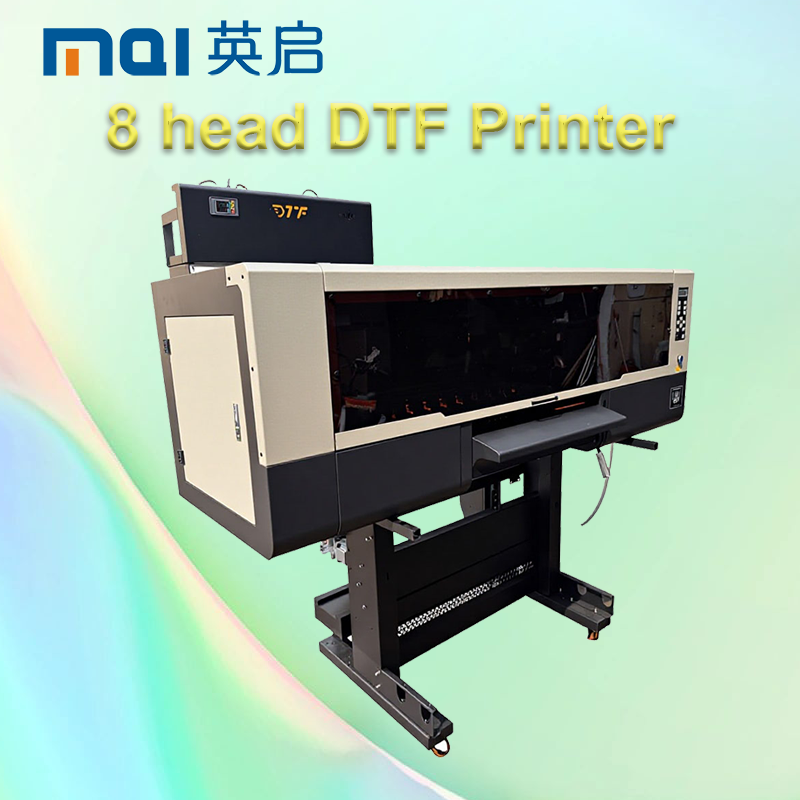
Industrial-Grade DTF Printers: Engineering for Continuous Production Reliability
Why Consumer-Grade DTF Printers Fail Under 3-Shift Factory Loads
DTF printers made for home or small business use simply aren't built to handle what happens when they run nonstop in a factory setting. These consumer models start showing their limits pretty quickly under constant workloads. The plastic frames tend to bend out of shape, the motor gets too hot to handle properly, and after about eight straight hours running, the print heads get misaligned. This leads to all sorts of printing issues like visible bands across prints, colors that don't match up right, and overall inconsistent results. The ink supply system also tends to get blocked when there's too much printing going on at once, which wastes money on ink and stops production dead in its tracks. Most of these budget printers can't manage heat well enough either, so they just shut themselves down completely after running too long. Because of all these problems, most manufacturing plants end up replacing their cheap desktop models somewhere between six to twelve months later. And guess what? That replacement cycle costs them around 40 percent more in lost time compared to investing in proper industrial grade equipment from the start.
Core Mechanical & Thermal Design Requirements for Stable DTF Output
The industrial DTF printer market has seen some serious engineering improvements lately. These machines are built specifically to handle the demands of high volume printing while keeping things consistent day after day. Take those stainless steel guide rails for example they last way longer than standard components and stay dimensionally stable even after hundreds of daily print jobs. The printheads come with liquid cooling systems too, which keeps the ink flowing smoothly no matter what kind of temperature changes happen around them. When it comes to ink delivery, manufacturers have gone with dual pump systems paired with fine 10 micron filters that stop tiny particles from causing headaches down the line. Temperature control is another big deal area where these printers excel. Special thermal sensors keep both the platen and chamber temperatures locked in tight within just one degree Celsius variance. This kind of stability means better film adhesion during transfers and fewer rejects overall. Factory owners will appreciate the vibration dampening frames as well since they protect against floor vibrations that plague most printing areas packed with multiple machines running simultaneously. After extensive testing lasting over a year in several major clothing manufacturing centers worldwide, all these thoughtful design elements have proven themselves reliable enough to achieve nearly perfect 98 percent uptime rates in real world conditions.
Key DTF Printer Specifications That Guarantee Output Consistency at Scale
Precision, Duty Cycle, and Media Handling: Industrial Tolerances vs. Desktop Benchmarks
The best industrial DTF printers can hold onto around 0.1mm positioning accuracy and deliver over 1200 DPI resolution even after completing 10,000 transfers or more, which is really important when working with detailed designs on stretchy fabrics and performance wear materials. Desktop versions tend to start showing problems after about 80 hours total runtime though, with noticeable banding effects and registration issues creeping in. Industrial grade machines come equipped with specially built printheads that last through billions of nozzle firings, plus they have this closed loop system for controlling fabric tension that cuts down on paper jams by roughly 90% compared to what we see in regular consumer printers. All these engineering improvements mean there's barely any difference in color consistency throughout long print jobs lasting up to three full days straight.
| Specification | Industrial Standard | Desktop Benchmark | Impact on Output |
|---|---|---|---|
| Duty Cycle | 24/7 operation | 8-hour max | Uptime reliability |
| Media Handling | ±0.5N tension control | Manual adjustment | Reduced jam frequency |
| Thermal Stability | ±1°C chamber control | Passive cooling | Ink viscosity consistency |
How to Match DTF Printer Specs to Your Daily Volume Target (e.g., 500+ transfers/day)
To handle over 500 transfers each day, the equipment needs serious power and durability built right in. The basics? Look for printers capable of at least 20 square meters per hour printing speed. Dual CMYK plus white channels are essential for efficient white underbase printing, and don't forget about automatic powdering systems as part of the package. Here's how the math works out: take the printable width multiplied by print speed, then divide by the transfer area. Let's say we're talking standard sized transfers measuring 20cm by 30cm (about 0.06m²). A printer that's 1.8 meters wide working at 25m²/hour would produce around 138 transfers every hour. That means reaching full daily output takes just under four hours of actual printing time. When shopping around, go for machines with at least 200W ink tanks since smaller ones need refilling too often. And here's something worth noting: piezoelectric printheads last about six months between services compared to thermal heads needing monthly replacement. According to a study from Ponemon Institute back in 2023, this difference saves businesses roughly $740,000 on maintenance costs alone over five years.
Seamless Equipment Integration and Proactive Maintenance for Uninterrupted DTF Production
Synchronizing Your DTF Printer with Curing Ovens and Heat Presses
Keeping workflow running smoothly depends heavily on how well the DTF printer works together with the curing oven and heat press setup. The printer needs to be set so its output matches what the oven can handle during those crucial 1 to 3 minute cycles at around 160 degrees Celsius. Same goes for timing with the heat press itself. Most industrial machines these days come with smart interfaces that actually talk back in real time. Take for instance when oven temperatures start dropping below what's needed for proper curing, the system will slow down printing automatically. This kind of automatic coordination cuts out all those frustrating manual transfers between machines. Factory workers report seeing handling mistakes drop by almost half since implementing this system. Plus it stops problems like incomplete curing or images getting shifted during transfer, which is really important when producing over 500 units every day without quality issues creeping in.
72-Hour Preventive Maintenance Protocol for Maximum Uptime
Unplanned DTF printer downtime costs manufacturers approximately $50,000 per hour in lost output (Deloitte, 2023). A disciplined 72-hour preventive maintenance protocol mitigates risk through three core actions:
- Nozzle & printhead cleaning (every 48 hours): Flush pigment residues using manufacturer-approved solutions to prevent clogging and ensure uniform droplet formation
- Mechanical calibration (every 72 hours): Verify belt tension, media-advance sensor response, and alignment between curing-stage components
- Thermal system validation: Confirm infrared element output and cross-zone temperature consistency using calibrated probes
Documenting metrics—including ink consumption trends, error log frequency, and calibration offsets—enables predictive analytics. Facilities implementing this protocol consistently achieve 98% uptime, compared to 78% for those relying solely on reactive repairs.
FAQ
What are the main differences between consumer-grade and industrial-grade DTF printers?
Consumer-grade DTF printers are designed for lower volume use, often in home or small business settings. They tend to have plastic frames and less robust components, leading to issues like frame bending, overheating, and printhead misalignment under continuous use. Industrial-grade DTF printers, on the other hand, are engineered for high-volume, continuous production environments, featuring durable materials such as stainless-steel guide rails, liquid cooling systems, and advanced thermal controls.
Why is thermal stability important in DTF printers?
Thermal stability is crucial because it helps maintain consistent ink viscosity and film adhesion during transfers. Industrial-grade DTF printers are equipped with special thermal sensors that keep temperatures stable within one degree Celsius variance, minimizing issues like ink clogging and misalignments that can lead to lower-quality prints.
How do industrial DTF printers achieve high uptime rates?
High uptime rates in industrial DTF printers are achieved through robust engineering and proactive maintenance. Key features include the use of durable materials, precision engineering, and liquid cooling systems. Additionally, implementing a 72-hour preventive maintenance protocol, including printhead cleaning and thermal system validation, contributes to consistently high uptime rates.
What should I look for in a DTF printer to handle 500+ transfers a day?
To efficiently manage 500+ transfers daily, consider a DTF printer with a fast printing speed (at least 20 square meters per hour), dual CMYK plus white channels, and an automatic powdering system. Ensure the printer has ample ink tank capacity (at least 200W) to minimize the frequency of refills.